As a household employer, you need an Employer Identification Number (EIN) for the tax forms you file: your nanny's W-2 and your Schedule H. It's free from the IRS, and the online application gives you the number in minutes. You don't have to wait for it to start paying your nanny; with NannyKeeper you can run payroll while your EIN is on its way.
This guide covers when a household employer needs an EIN, the IRS online application step by step, what to write on a form if your number hasn't arrived, and what to do if you already have one.
When do you need an EIN as a household employer?
You need an EIN once you have to file Schedule H or give your employee a W-2. IRS Publication 926 puts it plainly:
"You must include your EIN on the forms you file for your household employee. An EIN is a nine-digit number issued by the IRS. It isn't the same as an SSN."
IRS, Publication 926 (2026), Employer identification number (EIN)
Those forms are due when any one of these is true for 2026:
| If you... | You file | So you need an EIN |
|---|---|---|
| Pay one household employee $3,000 or more in cash wages | Schedule H and a W-2 | Yes |
| Pay household employees $1,000 or more in cash wages in any calendar quarter of 2025 or 2026 | Schedule H (federal unemployment tax) | Yes |
| Withhold federal income tax from an employee's pay | Schedule H and a W-2 | Yes |
| None of the above | Neither | No |
The $1,000-a-quarter test is the easy one to miss. If you pay two part-time sitters $600 each in the same quarter, you've paid $1,200 in cash wages that quarter, so you owe federal unemployment tax and file Schedule H, even though neither sitter reaches $3,000 for the year. Some wages don't count toward these tests, such as pay to your spouse or your child under 21; our family employee guide covers those.
Which situation are you in?
Most families fall into one of four situations, and only one of them needs a new application:
| Your situation | What to do |
|---|---|
| You've never had an EIN | Apply online with the IRS (steps below). It's free |
| You already have an EIN from a business you own as a sole proprietor | Use that number. Don't apply for another one |
| You had an EIN as a household employer before | Use that number. It's still yours |
| You applied, and the number hasn't arrived | Pay your nanny as normal. Write "Applied For" on your Schedule H or paper W-2 if one is due |
The IRS says the same in Pub 926: "You will ordinarily have an EIN if you previously paid taxes for employees, either as a household employer or as a sole proprietor of a business you own. If you already have an EIN, use that number."
How to get an EIN online, step by step
The IRS online application issues your EIN on screen as soon as it's approved, for free. It has two limits worth knowing before you start: you must finish in one session, and it's only open at certain hours.
1. Check the hours. The application is available (Eastern Time) Monday to Friday 6:00 a.m. to 1:00 a.m. the next day, Saturday 6:00 a.m. to 9:00 p.m., and Sunday 6:00 p.m. to midnight.
2. Have your Social Security number ready. You're the "responsible party," so the application asks for your SSN or ITIN. That's how the IRS knows who the EIN belongs to; it doesn't make your SSN the employer number.
3. Open the application from IRS.gov. Go to the IRS page Get an employer identification number and use its Apply button. The IRS warns: "Beware of websites that charge for an EIN. You never have to pay a fee for an EIN."
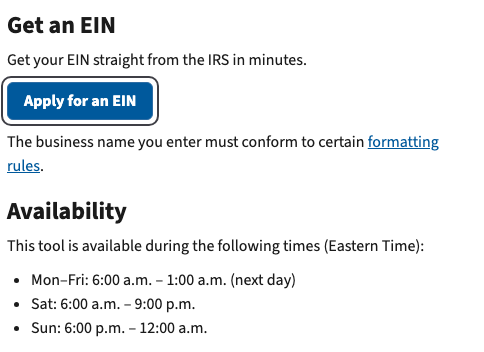
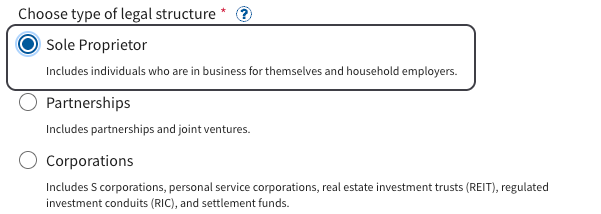
4. Pick Sole Proprietor, then Household Employer. The first question is the type of legal structure. Household employers are listed under Sole Proprietor: the IRS describes it as including "individuals who are in business for themselves and household employers."
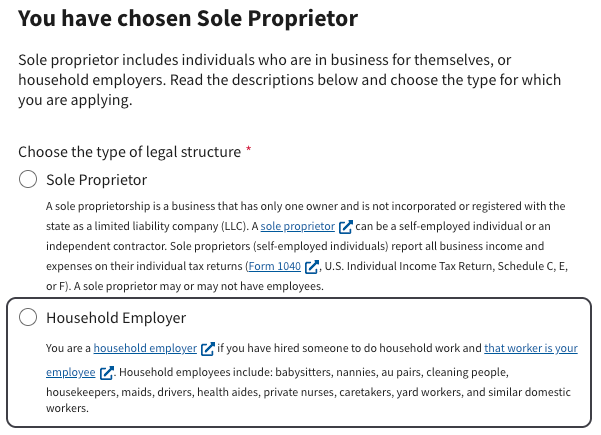
Once you pick Sole Proprietor, the application asks a second time, and Household Employer is one of the two choices. Pick it. The IRS describes household employees there as including "babysitters, nannies, au pairs, cleaning people, housekeepers, maids, drivers, health aides, private nurses, caretakers, yard workers, and similar domestic workers." (On a paper Form SS-4, the instructions say to "check the Other box and enter 'Household employer' and your SSN." That SSN identifies you as the applicant on the form; it never stands in for the EIN.)
5. Finish without pausing. The IRS says: "Complete the application in one session. You can't save it for later. It expires after 15 minutes of inactivity, and you'll need to start over."
6. Save your number. Your EIN appears on screen as soon as the application is approved. Print or save the confirmation letter the IRS offers; it's the easiest place to find your number later.
The IRS issues only one EIN per responsible party per day. If your session times out before the end, nothing was issued and you simply start over; if an EIN was issued with a mistake in it, fix it with the IRS rather than applying again.
Online, fax or mail?
Online is fastest. If you can't apply online, the IRS accepts Form SS-4 by fax or by mail.
| Method | How long it takes |
|---|---|
| Online | Right away, when your application is approved |
| Fax | Generally within 4 business days |
| About 4 weeks. The IRS says to send it at least 4 to 5 weeks before you need the number |
Form SS-4 and its instructions are on IRS.gov.
What if your EIN hasn't arrived when a form is due?
On your Schedule H or your nanny's paper W-2, write "Applied For" where the EIN goes, and never put your Social Security number there instead. The IRS instructions for Schedule H say it directly: "Don't use your social security number (SSN) in place of an EIN." On Schedule H, write "Applied For" and the date you applied. On a paper W-2, the W-2 instructions say to "enter 'Applied For' in box b; do not use your SSN."
Your nanny's pay doesn't wait on any of this. The EIN is for the forms; you can pay wages, withhold taxes and keep records before it arrives.
Getting your EIN into NannyKeeper
When your number arrives, add it in Settings, then Account. Until then, NannyKeeper runs payroll as normal, and a W-2 we prepare for you before the number arrives says "Applied For" in box b.
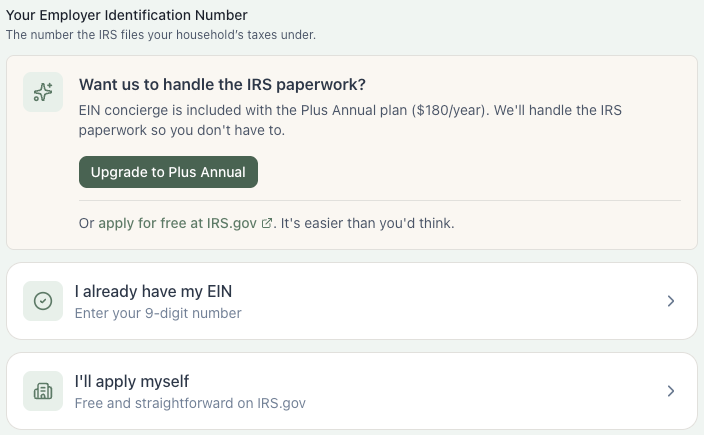
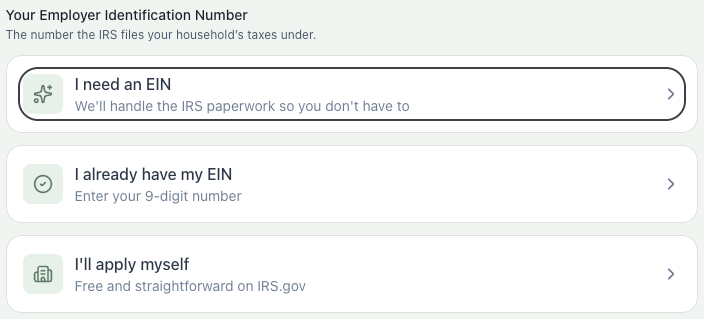
If you'd rather not do the IRS paperwork yourself, the EIN concierge is included with the Plus Annual plan ($180/year): we prepare Form SS-4 and send it to the IRS for you, and your number comes to you from the IRS.
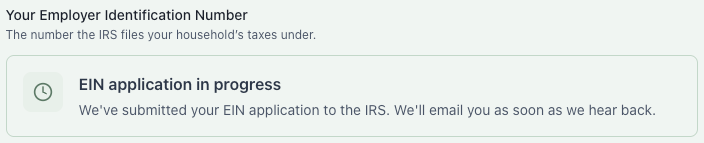
While the concierge application is in progress, the box says so, and we email you as soon as the IRS answers.
Your next steps
You can do these right away, even before your EIN arrives:
- Set up payroll: Run our nanny tax calculator to see what you'll withhold and owe each pay period
- Have your nanny complete paperwork: W-4 and I-9 forms
Once your EIN arrives, register with your state: most states require separate registration for unemployment insurance, and some build your state account number from your EIN. Check your state's requirements.
For the whole process from EIN to W-2, see how NannyKeeper works or our household employer payroll guide.
Ready to simplify nanny taxes?
NannyKeeper does the calculations, tracks the deadlines, and prepares the paperwork so you can focus on your family.
FAQ
Do I need an EIN to pay a caregiver?
You need one once you file Schedule H or a W-2 for them: if you pay one household employee $3,000 or more in cash wages in 2026, pay household employees a total of $1,000 or more in cash wages in any calendar quarter of 2025 or 2026, or withhold federal income tax. You can start paying before the number arrives.
What if I already have an EIN from a business I own as a sole proprietor?
Use it. The IRS says a sole proprietor generally needs only one EIN, and not to apply again just because you're hiring. The EIN of a corporation, partnership or LLC isn't yours to use for your household; that number belongs to the business, not to you.
Can I use my Social Security number instead of an EIN?
No. The IRS instructions for Schedule H say "Don't use your SSN as an EIN." If your EIN hasn't arrived, write "Applied For" and the date you applied.
Do I need a new EIN every year?
No. Once you have an EIN, you keep using it. The IRS says: "If you already have an EIN, use that number."
What if I lost my EIN?
Check the confirmation letter you saved when you applied. If you can't find it, the IRS says you can call 800-829-4933 to verify a number.
Does my nanny need an EIN?
No. The EIN is yours, as the employer. Your nanny uses their Social Security number, which goes on the W-2 in box a.
Related guides: W-2 for household employees, box by box · Schedule H guide · First-time nanny employer checklist